

How Capital Turbine handles compliance.
Your firm controls the gate. Every version is archived.
No software makes a firm compliant — compliance is the outcome of your firm's review and supervision. What Capital Turbine does is enforce the review process your firm chooses and keep records you can stand behind in an exam. This page explains how, and what stays your firm's responsibility.
Your firm sets the gate. The platform enforces it.
Four supervision modes are built into the platform. Your firm picks one in settings.
Whichever mode you choose, everything is archived the same way. The labels and descriptions here are taken straight from the product's settings screen.
Approve every item before send
Compliance reviews each marketing email, social post, and blog before it goes out.
Approve initial items only
For series campaigns, compliance reviews the first item; subsequent items go out automatically. Standalone emails, blogs, and social posts are still reviewed individually.
No approval, just in-the-loop
Content goes live immediately. Compliance gets a notification email each time something publishes, with a link to view it.
Self-directed
You run compliance yourself. Launching an item adds it to your approvals queue with a downloadable PDF for your own compliance process; it goes live when you mark it approved.
How review works.
Every step writes to the record on its own. Nothing depends on someone remembering to file.
- 01
An advisor submits content
When an email campaign, social post, or blog goes up for review, the platform generates a PDF snapshot of exactly what was submitted — version-stamped and archived before any decision is made.
Archived: submission snapshot
- 02
Your compliance team gets the queue
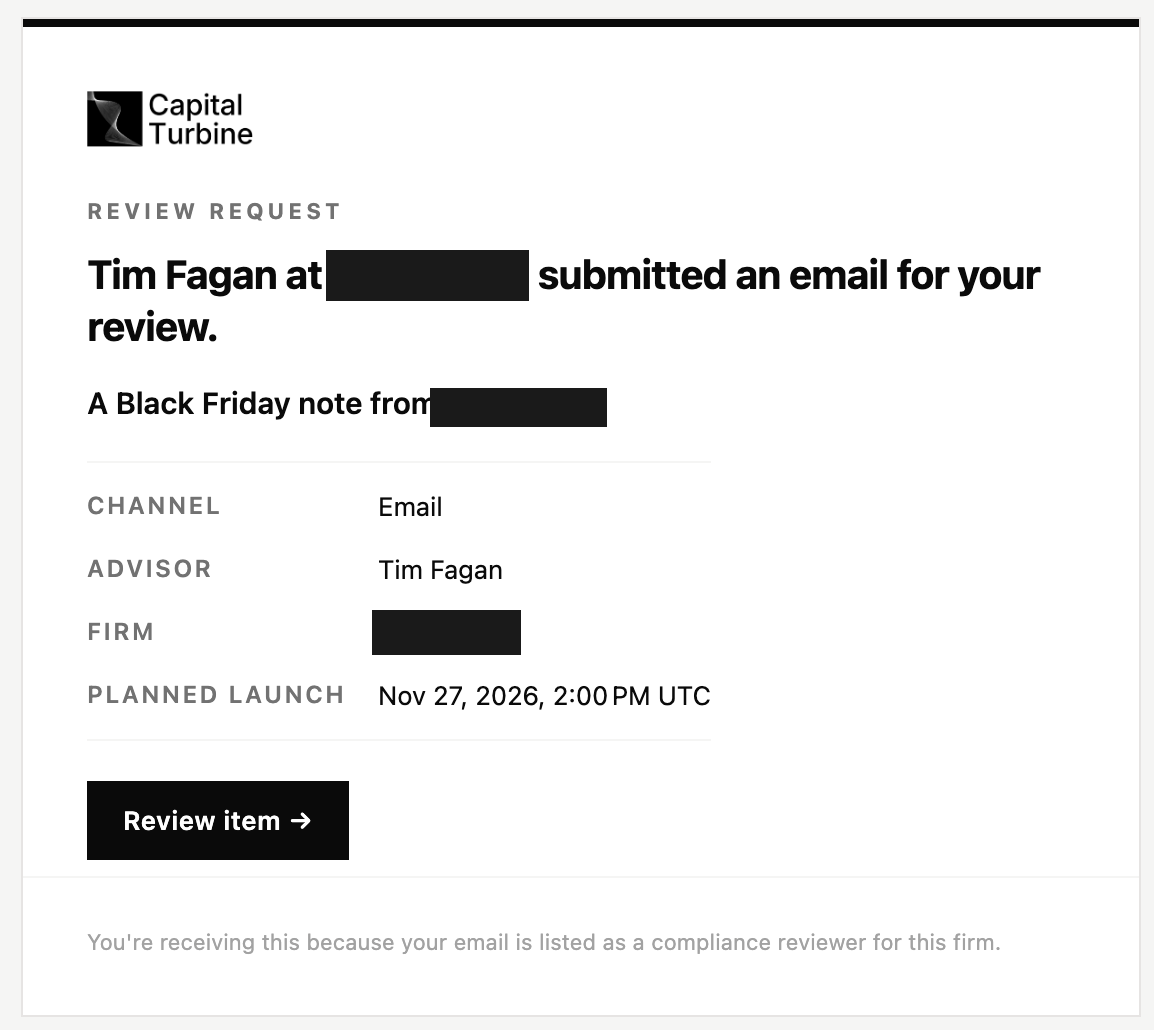
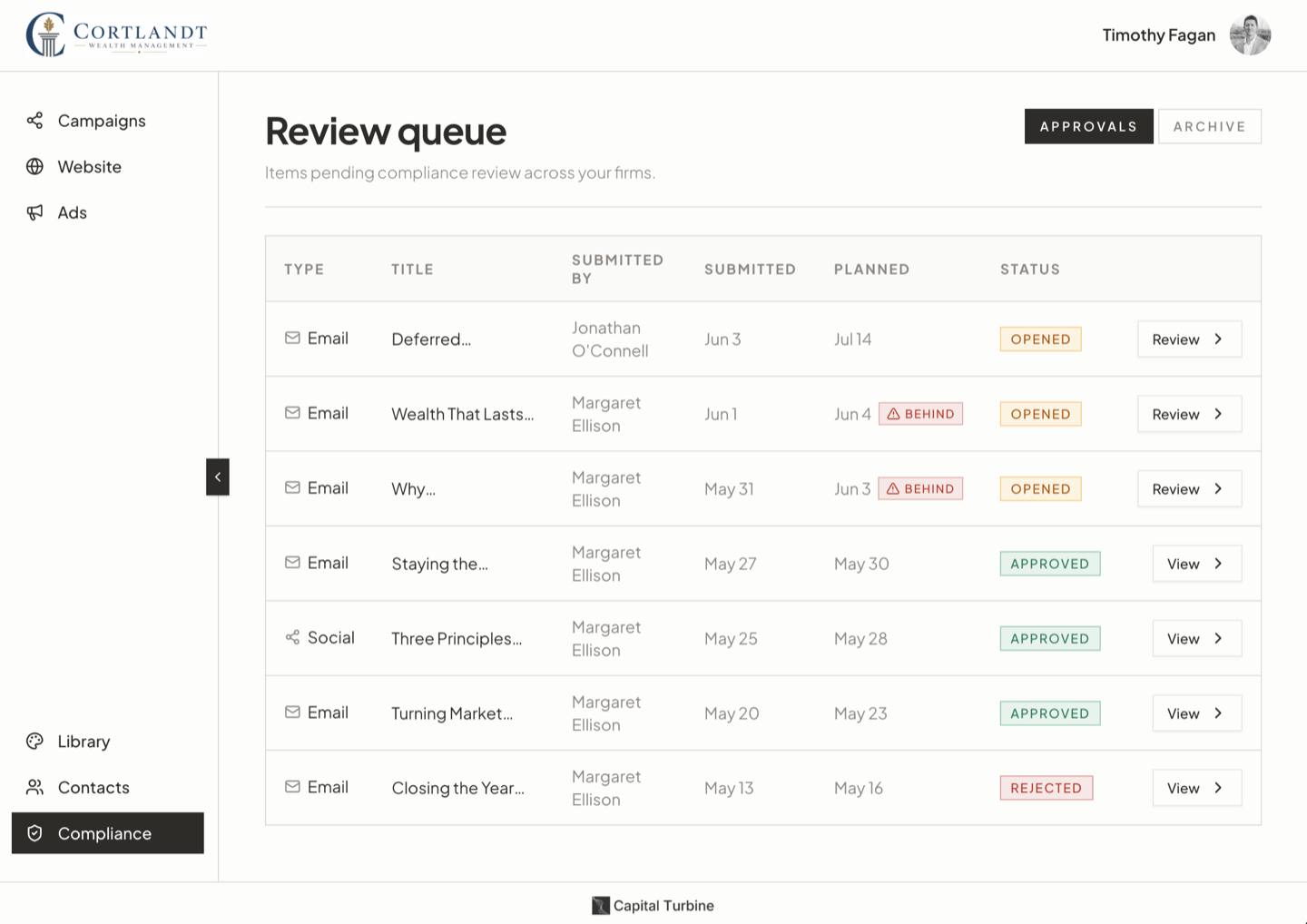
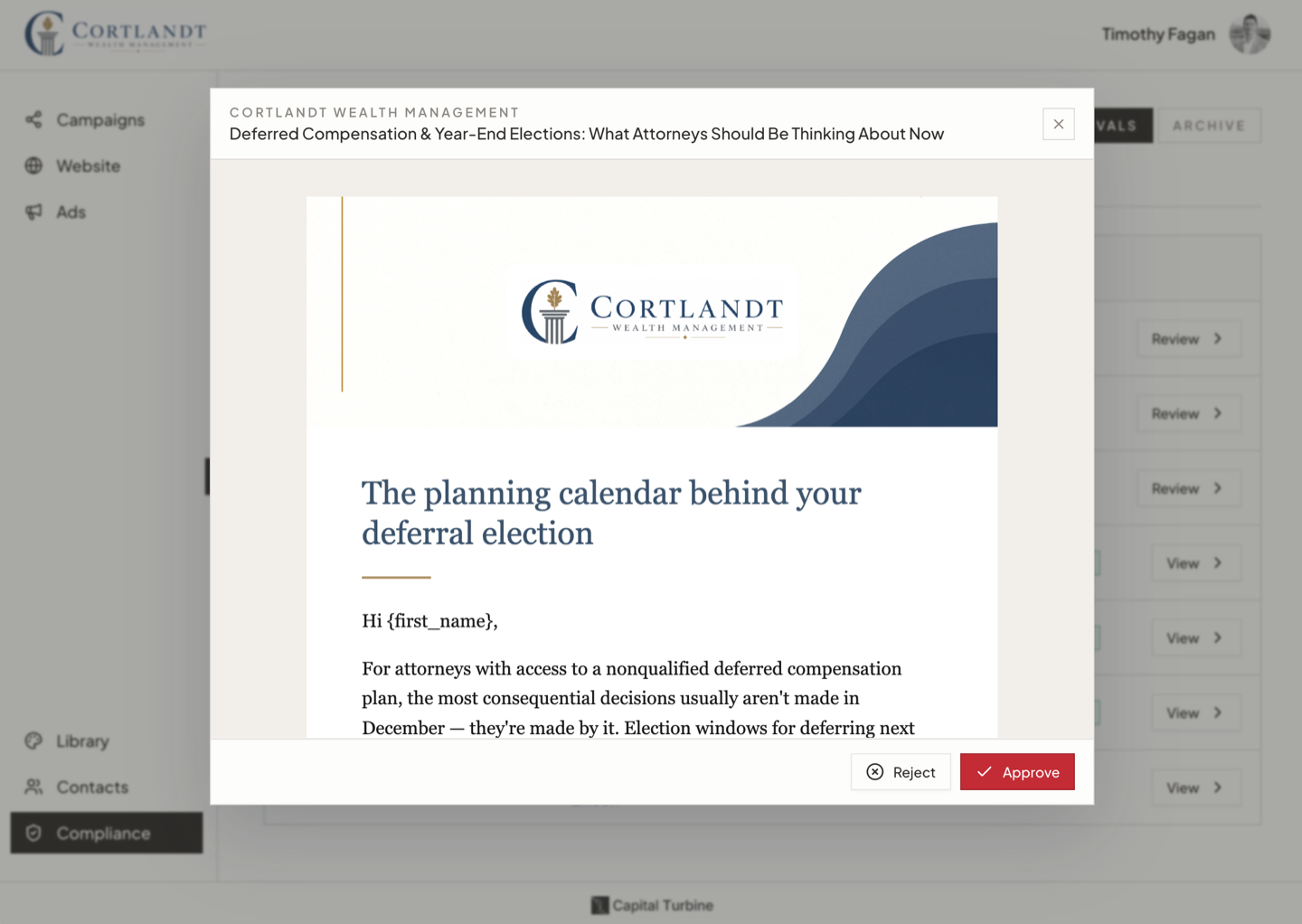
Reviewers sign in with a one-time emailed code. No new password, no software to install. Email, social, and blog items arrive in a single queue, previewed exactly as clients would see them.
Recorded: opened timestamp
- 03
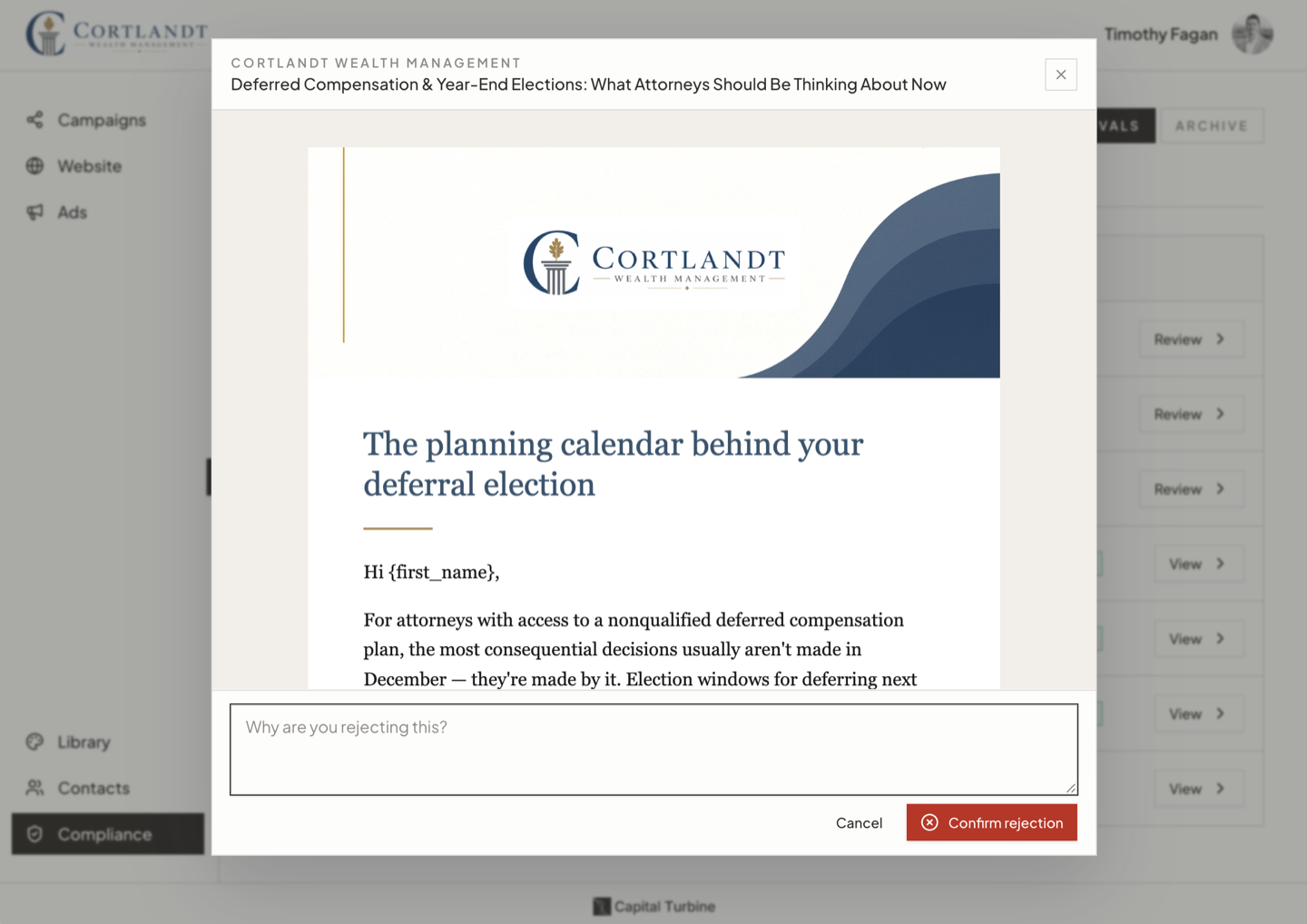
Approve or reject
Every decision is stored with the reviewer's identity, timestamps for when the item was opened and decided, and any rejection comments. Rejected items go back to the advisor; resubmissions come through as new versions, never overwrites.
Recorded: decision, reviewer, comments
- 04
Approved content publishes
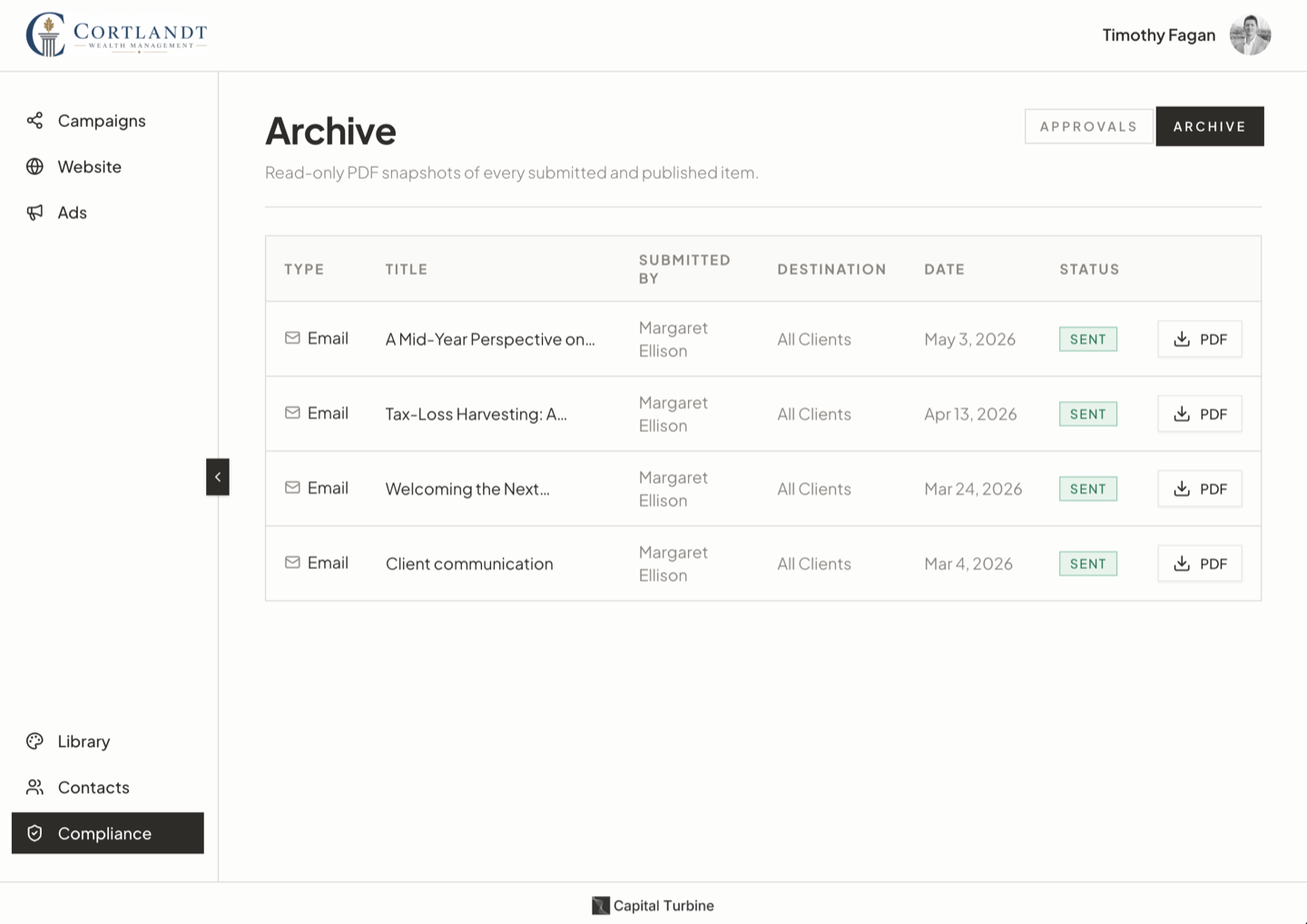
When approved content goes out, the as-sent version is archived as its own snapshot — with recipient counts for email and platform details for social.
Archived: as-sent snapshot
This runs in a built-in compliance portal.
The queue, previews, decisions, and archive live in one place, built into the platform. And if your firm already reviews in another system, we work with what you have. Get in touch to talk through your setup.
What keeps the AI from putting your firm at risk?
Every AI draft is screened by a separate compliance agent — not the model that wrote it — before a person ever sees it.
The screen applies standards built from FINRA Rule 2210 and the SEC Marketing Rule: investment directives, performance claims, promissory language, suitability claims, and factual claims without a source all fail it. Flags cite the exact passage. The agent rewrites what failed, screens the result again, and repeats until the draft carries zero critical flags.
A draft that can't pass is discarded — the build fails and nothing is saved. And a draft that passes is still just a draft: it routes to your firm's review like everything else.
Simple for reviewers.
A review process only protects the firm if reviews happen on time.
- Sign in with a one-time emailed code. No password to manage, no software to install.
- Rejected items go back to the advisor and return as new versions.
- Outside compliance consultants can review for multiple firms under a single sign-in.
- Reminders for pending items, at a cadence you choose.
The record.
Capital Turbine keeps an append-only audit trail designed to support the books-and-records requirements that apply to your firm — Advisers Act Rule 204-2 for registered investment advisers, SEC Rule 17a-4 and FINRA Rule 4511 for broker-dealer-affiliated practices.
Two snapshots per item
One at submission, before any decision. One at publish, as sent. Resubmissions become new versions — nothing is overwritten.
Tamper-evident
Every archive record stores the SHA-256 hash of its PDF. Re-hash the file at any time and compare. If a stored document had been swapped, the hash wouldn't match.
No edit or delete path
There is no function in the product for modifying or removing an archive record, for any role. Rejected and rescinded content is kept too, marked as never sent.
A ledger for every send
One record per recipient per send, with status. Opt-outs are logged with source and timestamp. Social posts record the platform's own post ID and URL.
Firms that require write-once storage can have it. The default archive is an append-only audit trail with hash verification, running on access-controlled infrastructure — the model the SEC's 2022 amendments to Rule 17a-4 recognize as an alternative to write-once storage.
The hard questions.
Is Capital Turbine FINRA- or SEC-compliant?
Capital Turbine is built to support SEC and FINRA compliance: publishing gates on your firm's review, and archiving is designed for the books-and-records requirements that apply to your firm. No platform can make a firm compliant — that comes from your firm's review and supervision. We are not a compliance firm and we don't provide regulatory advice.
Can an advisor publish without review?
Not without your compliance team knowing. An advisor can force-publish an item that's pending review; when that happens, the item is archived like everything else and your team is notified that it published without review.
Is the archive write-once storage?
We offer write-once storage for firms that require it. Most firms use the standard archive: an append-only audit trail with hash verification on access-controlled infrastructure — the model the SEC's 2022 amendments to Rule 17a-4 recognize as an alternative to write-once storage.
Do you work with our archiving or compliance system?
Yes — set up per firm during onboarding. For recordkeeping, we feed sent content and audit records into your archive, like Smarsh or Global Relay. And if your firm runs marketing review in an outside platform — Orion Compliance (formerly BasisCode), Red Oak — we can route content through it instead of our built-in queue. Get in touch to talk through your setup.
Can we export our records?
Yes. Any item's PDF is downloadable in the app, and we deliver full-archive exports on request — that part isn't self-serve yet.
Who can act as the reviewer?
Whoever your firm designates — an in-house compliance team or an outside consultant. Add their email to your account and review requests route to them. A firm can list more than one reviewer.
How are disclosures handled?
Your firm's disclosure is appended to every email footer automatically, and a separate disclosure applies to social and blog content. Every email also carries an opt-out notice and one-click unsubscribe headers, and opt-outs are enforced automatically and logged.
Where does our data live?
In Postgres and object storage, with row-level security separating each firm's data and encryption at rest. A complete list of the providers that touch firm data is available on request during your diligence.
Bring your compliance team.
Put your hardest questions to us directly — it's the fastest way to evaluate us. If working with us depends on a capability we don't offer by default, say so. We build to requirements.